Even for a low-activity wiki, hosting & rendering many HQ image files takes significant resources and comes with high monthly server costs.
If you're able, please consider contributing to keep the site running to help support this independent, ad-free, fan-run site. Thank you!
Template:Map: Difference between revisions
Jump to navigation
Jump to search
mNo edit summary |
No edit summary |
||
| Line 5: | Line 5: | ||
Define a base map layer, choose a display width, and specify the labels. X and Y are percentages. | Define a base map layer, choose a display width, and specify the labels. X and Y are percentages. | ||
The grid layer can be used while editing to assist with positioning. | The grid layer can be used while editing to assist with positioning. The default grid is white with 20% opacity. | ||
Optional attributes include: (Start) Link; (Label) Color, Length, Width/halfwidth | |||
<pre><nowiki> | <pre><nowiki> | ||
| Line 19: | Line 20: | ||
== Examples == | == Examples == | ||
<div style="overflow: hidden;"> | <div style="overflow: hidden;"> | ||
<div style="float: left; margin-right: | <div style="float: left; margin-right: 2em; margin-bottom: 2em;"> | ||
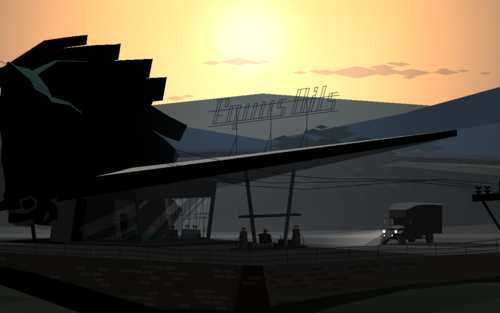
{{Map/Start|base=Equus Oils.png|width=500}} | {{Map/Start|base=Equus Oils.png|width=500}} | ||
{{Map/Label|12| | {{Map/Label|12|36|Horse head|length=20|width=6|halfwidth=3}} | ||
{{Map/Label|28| | {{Map/Label|28|71|Computer|width=6|halfwidth=3}} | ||
{{Map/LabelE|53| | {{Map/LabelE|53|75|[[Joseph]]|length=45|width=4.5}} | ||
{{Map/Label|80|10|Color &<br />multiline test|color=green}} | {{Map/Label|80|10|Color &<br />multiline test|color=green}} | ||
{{Map/End}} | {{Map/End}} | ||
</div> | </div><div style="float: left; margin-bottom: 2em; margin-left: 2em;"> | ||
<div style="float: left;"> | |||
{{Map/Start|base=Equus Oils.png|width=500}} | {{Map/Start|base=Equus Oils.png|width=500}} | ||
{{Map/Grid|color=rgba(255, 255, 255, 0.4)}} | {{Map/Grid|color=rgba(255, 255, 255, 0.4)}} | ||
Revision as of 11:46, 8 February 2018
A template for making maps with labels. See Map.
Use
Define a base map layer, choose a display width, and specify the labels. X and Y are percentages.
The grid layer can be used while editing to assist with positioning. The default grid is white with 20% opacity.
Optional attributes include: (Start) Link; (Label) Color, Length, Width/halfwidth
{{Map/Start|base=FILENAME.png|width=PIXELS|link=PAGENAME}}
<!-- {{Map/Grid|color=rgba(255, 255, 255, 1)}} -->
{{Map/Label|1=X|2=Y|3=Label}}
{{Map/Label|1=X|2=Y|3=Label|color=COLOR|length=PIXELS|width=EM|halfwidth=(half of width)}}
{{Map/LabelE|1=X|2=Y|3=Label|color=COLOR|length=PIXELS|width=EM}}
{{Map/End}}